What Is the Best AI for Pine Script?

Key Highlights
You paste a strategy prompt into a general-purpose AI chatbot. The output looks convincing, clean layout, sensible variable names, what appears to be a working EMA crossover strategy. You copy it into TradingView's Pine Editor and hit Add to Chart.
Eleven compilation errors.
You go back to the AI, paste the errors, and ask for a fix. The revised code compiles, but the strategy fires signals that don't match the logic you described. Entries appear on bars that haven't closed. The backtest looks profitable, but the signals are repainting against historical data, something you only discover after running it forward for two weeks. The tool never flagged any of this.
This is not a rare edge case. It's the default experience for any trader trying to use a general-purpose AI tool to write Pine Script. The language has a specific execution model, strict version requirements, and a TradingView compiler that catches problems that generic AI tools never see. Finding the best AI for Pine Script means finding one that understands all of this before generating a single line, not one that produces plausible-looking code that quietly breaks under real market conditions.
What Is the Best AI for Pine Script?
The best AI for Pine Script is a purpose-built tool trained specifically on TradingView's Pine Script v6 syntax, strategy logic, and compiler requirements, not a general-purpose coding assistant. Pine Script–specific AI tools like PineGen AI validate generated code against the TradingView v6 compiler before output, catching version errors, repainting logic, and incorrect strategy parameters that general AI tools consistently miss. General-purpose chatbots and code autocomplete tools can produce Pine Script code that compiles on first read but fails in the strategy tester or repaints against historical data, making them unreliable for traders who need code they can trust.
The best AI for Pine Script is not the most well-known AI assistant, it's the one built around how Pine Script actually executes inside TradingView. General-purpose AI tools handle Pine Script as one language among thousands, producing code that often uses outdated v4 or v5 syntax, misuses strategy.exit() parameters, or generates signals that repaint on historical bars without any warning. Pine Script–specific AI generators solve this by operating exclusively within Pine Script v6, validating output against TradingView's compiler, and understanding the difference between an indicator and a strategy at the structural level. This guide walks through why the tool choice matters for backtest accuracy, how Pine Script's execution model makes it uniquely difficult for general AI, and how a purpose-built Pine Script AI generator handles the workflow from plain-English prompt to publish-ready v6 code, including a complete, annotated v6 strategy you can paste into TradingView today.
Why the Wrong AI Tool Costs You More Than Time
Most traders discover they've been using the wrong AI tool for Pine Script the same way, not while writing code, but while running a backtest.
The strategy looked right. The logic matched what they described. The equity curve in the strategy tester looked strong. Then they noticed the signals appearing one bar ahead of where the entries should have been. Or they ran the script forward for a week and watched it print signals on the current bar that disappeared by the time the bar closed. Or they pushed the script to live trading and hit an alert error they'd never seen before because the code used alertcondition() inside a strategy, something TradingView doesn't allow, something no general-purpose AI flagged.
The cost of that discovery isn't just the time you spent writing the prompt and cleaning up the output. It's the time spent backtesting results you couldn't trust, or worse, trading a strategy that was never validated properly. In Pine Script, code that compiles is not the same as code that works. There are four specific categories of problems that general AI tools consistently produce:
Repainting Logic
Pine Script executes bar by bar. When code references the current bar's closing price inside an if block without a barstate.isconfirmed guard, the condition may be true mid-bar and false by bar close, or vice versa. A strategy built this way will show signals on historical bars where it looks profitable, but those signals would have appeared and disappeared in real time. You can't trade a signal that evaporates before the bar closes.
General AI tools don't know to add barstate.isconfirmed. They're not aware of Pine Script's execution model. They generate syntactically valid code that runs in the strategy tester and produces an equity curve and they call the job done. Discovering the repaint problem takes two weeks of forward testing you didn't plan for.
Version Mismatch Errors
TradingView has released Pine Script v4, v5, and v6. They are not backward compatible in every function. Functions that existed in v4 were deprecated in v5. v5 introduced new syntax requirements that break v4 code. v6 tightened the rules further, requiring function calls like ta.crossover() and ta.crossunder() to be declared in the unconditional global scope, not inside if blocks. You can verify all current v6 function requirements in TradingView's official Pine Script documentation.
A general-purpose AI trained on the entire internet, including Stack Overflow threads, forum posts, and code repositories from 2019, will mix v4, v5, and v6 syntax in the same script. Some of that code compiles. Some doesn't. None of it is tested against the v6 compiler before it reaches you.
Strategy Exit Parameter Errors
strategy.exit() in Pine Script requires specific parameter names and data types. The from_entry parameter must match exactly the string passed to strategy.entry(). The stop and limit parameters expect price values, not percentage values. If you pass close * 0.99 as a stop price on a bar where strategy.position_avg_price is different from close, your exits fire at the wrong level. Understanding how Pine Script strategies handle entries and exits is essential to getting this right.
General AI tools often produce code where strategy.exit() parameters are approximate, plausible-looking but not precisely correct. The result is a strategy that closes positions at unexpected prices, distorting the backtest and creating real losses in live trading.
Alert Architecture Errors
If you want TradingView alerts from a strategy script, the correct approach is the alert_message parameter inside strategy.entry() and strategy.exit(). Using alertcondition() inside a strategy script causes a TradingView compilation error. Most general AI tools don't know this distinction, they generate alertcondition() calls in strategy scripts because that's what appears in many older Pine Script tutorials and forum posts.
These aren't edge-case problems. They're the default output of AI tools that treat Pine Script as a generic programming language rather than a platform-specific scripting environment with its own execution model, version constraints, and publishing rules. The difference between general AI and specialized Pine Script AI comes down to exactly this kind of structural knowledge.
The Backtest You Trust Is Already Compromised
The deeper problem with using a general AI as your Pine Script AI generator is that the feedback loop is broken. You describe a strategy, get code back, run it in the strategy tester, see positive results, and treat those results as real. But if the code contains repainting logic, the backtest is showing you signals that would have appeared before bar close in real time and been gone before you could act on them. The equity curve is a fiction built on future data. Understanding what you can build reliably with Pine Script AI starts with understanding where the risks lie.
By the time you discover this, you've spent hours refining a strategy built on a broken foundation. The best AI for Pine Script prevents this by understanding what "correct" means in the context of TradingView's execution model, not just what "compiles" means. That distinction is exactly what separates AI-generated code from manually coded strategies when it comes to backtest reliability.
What Pine Script Actually Requires From an AI
Understanding why some tools handle Pine Script well and others don't starts with understanding what makes Pine Script structurally different from the languages most AI tools are trained on. The future of Pine Script development with AI depends entirely on tools that grasp this distinction.
How Pine Script Executes (And Why It Matters)
Most programming languages execute top-to-bottom, once, in response to a function call or a user trigger. Pine Script doesn't work that way. It executes on every bar of chart data, from left to right, running the entire script against each bar's price information in sequence. When you're looking at a daily chart with three years of historical data, TradingView runs your Pine Script code against every one of those bars in order before displaying any output. This is why building strategies instantly with AI requires a tool that actually understands how those bars are processed.
This bar-by-bar execution model has direct consequences for how code must be written. Variables persist across bars automatically. Functions like ta.rsi() and ta.ema() maintain their internal state between executions. The concept of a "closed bar" versus an "open bar" is structurally significant, code that runs during an open bar sees incomplete data, and signals based on that data can change before the bar finishes. A VWAP indicator, for example, resets every session and depends precisely on this bar-by-bar accumulation to calculate correctly.
Most AI tools don't have a working model of this. They understand Pine Script's syntax, the function names, the parameter formats, the variable declaration style. They don't understand the runtime environment those functions operate inside. That's the core gap, and it's why the difference between AI-generated and manually coded Pine Script is so significant in practice.
How to Go From Strategy Idea to Live TradingView Script Using AI
Knowing which category of tool to use is only part of the answer. The other part is understanding the workflow that produces reliable results. Using a Pine Script AI generator effectively isn't just about writing a prompt and pasting the output, it's a structured process from strategy concept to validated, live-ready code. How to create Pine Script with AI follows a repeatable pattern that works regardless of how complex your strategy logic is.
Step 1: Define the Strategy Logic in Plain English Before Touching the AI
The most common mistake traders make when using AI for Pine Script is opening the chat interface and writing the prompt cold. Before writing any prompt, write the strategy as a set of plain-English trading rules. This forces you to make decisions that the AI cannot make for you:
- What is the trend filter? (EMA, VWAP, ADX, higher timeframe direction?)
- What is the entry signal? (RSI level, crossover, candlestick pattern, volume spike?)
- What is the exit logic? (Fixed ATR multiple, trailing stop, opposite signal?)
- What is the position sizing rule? (Percentage of equity, fixed dollar amount, volatility-scaled?)
- What timeframe does this run on? (5-minute, daily, weekly?)
A strategy with clear answers to these questions produces a prompt the AI can execute precisely. A vague idea, "build me an RSI strategy", produces output that fills in your blanks with generic assumptions you may not agree with. The quality of your input determines the quality of what you can build with Pine Script AI.
Step 2: Write a Structured Prompt for Pine Script v6 Output
Once the strategy logic is written down, translate it into a prompt that gives the AI the information it needs. A structured prompt for a Pine Script AI generator includes:
- The version: always specify Pine Script v6
- The script type: strategy or indicator (this determines the functions used)
- The exact entry conditions: indicator names, threshold values, timeframes
- The exact exit logic: stop loss type (ATR-based is more reliable than percentage-based), take profit target, or opposite signal
- Any specific requirements: non-repainting guard, alert integration, overlay or separate pane
Example of a well-structured prompt:
"Build a Pine Script v6 strategy. Entry: long when RSI(14) crosses above 30 AND price is above EMA(50). Exit: stop loss at 1.5x ATR(14) below entry, take profit at 3x ATR(14) above entry. Use barstate.isconfirmed to prevent repainting. Include alert_message in strategy.entry() for TradingView alerts."
Compare that to the vague version: "make an RSI and EMA strategy with stop loss." The structured version tells the AI exactly what to build. The vague version requires the AI to make assumptions, and those assumptions may not match your trading rules. Automating Pine Script strategies with AI only works reliably when the instructions are this specific.
Step 3: Receive and Review the Generated Code
When PineGen AI returns the code, don't paste it into TradingView immediately. Read through it first with a short checklist. This is the key difference between AI-assisted and manual Pine Script development, you're reviewing rather than writing from scratch:
- Does the script start with
//@version=6? - Does the
strategy()declaration includedefault_qty_typeanddefault_qty_value? - Is
barstate.isconfirmedpresent in the entry condition if you requested it? - Does the
strategy.exit()call reference the same entry name string asstrategy.entry()? - Is the stop price using ATR-based math (
close — atr * multiplier) rather than a percentage approximation? - Are alerts using
alert_messageparameters insidestrategy.entry()andstrategy.exit(), notalertcondition()?
This review takes two minutes. It catches any edge case where the output needs a quick clarification prompt before you move to testing. PineGen AI validates code against the TradingView v6 compiler internally, which catches most errors before output, but reading the code yourself before testing is good practice regardless of which Pine Script AI tool generated it.
Step 4: Load Into TradingView and Run the Strategy Tester
Paste the validated code into TradingView's Pine Editor and click Add to Chart. If the script compiles without errors, you're ready to run the strategy tester:
- Open the Strategy Tester panel (the tab at the bottom of the chart)
- Check the Overview tab: net profit, max drawdown, profit factor, number of trades
- Check the Trade List tab: scan through individual entries and exits to confirm they match your intended logic
- Verify that entries appear at bar close, not mid-bar (this confirms the
barstate.isconfirmedguard is working) - Check Performance Summary for win rate and average win-to-loss ratio
A backtest that shows more than 60–70% of trades firing at bar close is a signal to check the repainting guard, entries that appear mid-bar suggest the barstate.isconfirmed condition may be missing or incorrectly placed. If you're building multi-timeframe strategies, check the request.security() calls for lookahead settings at this stage as well.
Step 5: Iterate With the Chat Memory, Don't Start Over
If the backtest shows the strategy needs adjustment, the stop is too tight, the RSI level needs to shift, you want to add a volume filter, don't write a new prompt from scratch. Use the iterative refinement workflow. PineGen AI maintains chat memory within a session, so you can describe the change you want and the AI updates the existing code rather than regenerating everything.
"The stop loss is too tight on volatile days. Change the ATR stop multiplier to 2.0 and add a minimum volume filter, only take entries when volume is above the 20-bar average."
This kind of refinement is where a Pine Script AI generator operating with session memory produces significantly better results than starting fresh each time. You're building on validated code, not regenerating and re-checking from zero.
Step 6: Forward Test Before Going Live
Once the backtest metrics look solid, run the strategy in paper trading or on a demo account for a minimum of two to four weeks before committing real capital. Historical backtests optimize for past conditions. Forward testing in real time confirms the strategy behaves as expected under live market data, different bid-ask spreads, real-time data feeds, and conditions the backtest never saw. Whether AI is the future of Pine Script development depends on tools that get code right enough that this forward test step is the only remaining variable.
The best AI for Pine Script gets you to the forward test faster and with code you can trust. It doesn't replace the forward test. No tool does, that step is the trader's responsibility, and it's what separates disciplined strategy development from gambling on backtests.
Three Types of AI Tools People Use for Pine Script
Not all AI tools are created equal. Here's how they break down:
1. General-Purpose AI Chatbots
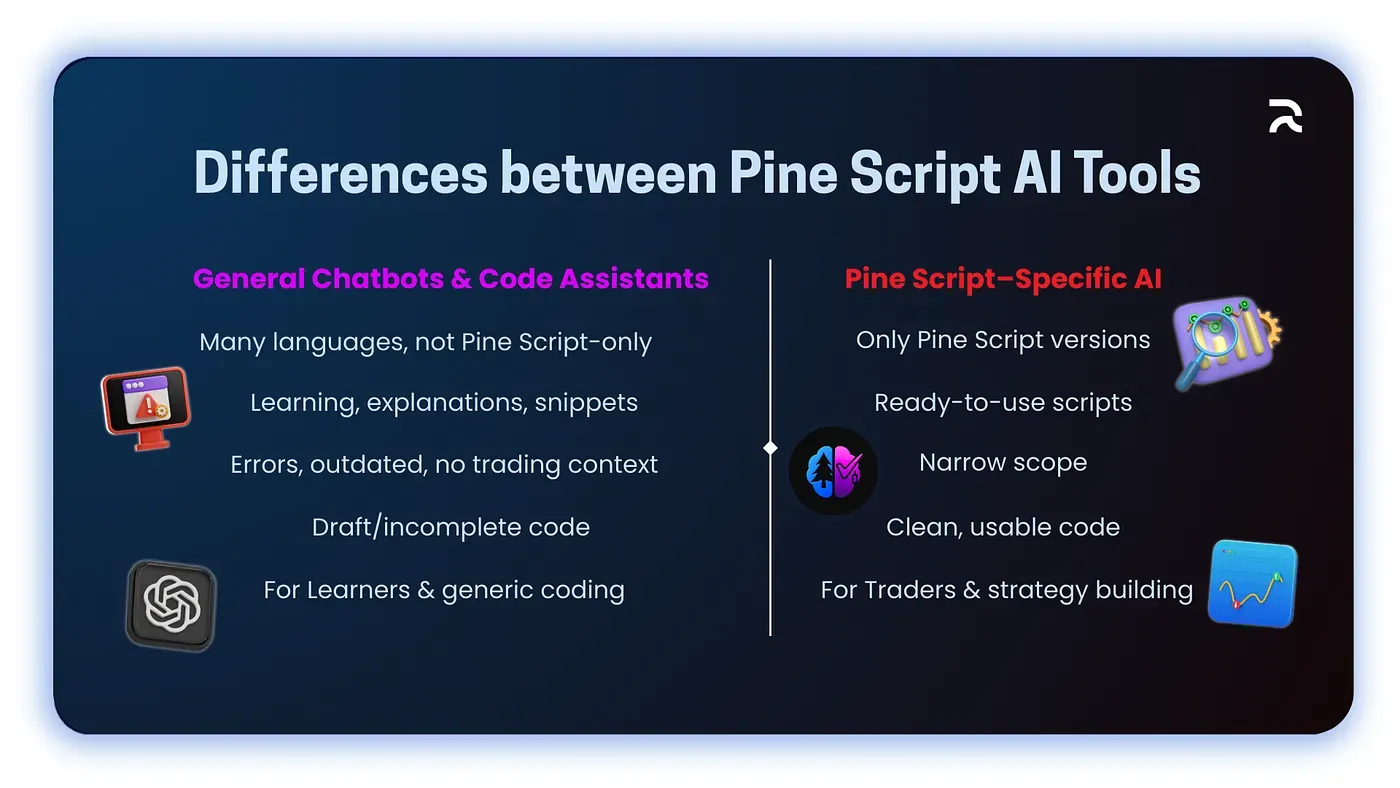
Models like ChatGPT can assist with Pine Script if prompted carefully, but they aren't trained exclusively on Pine Script. While helpful for learning, their output often includes errors, outdated syntax, or long-winded explanations rather than usable code.
Pine Script v4, v5, and v6 aren't fully backward-compatible, and because general AI tools are trained on content spanning all three versions, they tend to mix syntax from each in the same script.
2. Code-Centric Assistants
GitHub Copilot and similar tools can autocomplete code but lack contextual understanding of Pine Script. Their usefulness drops significantly when trying to generate complex strategy logic or combine indicators.
These tools also tend to get strategy.exit() stop and limit values approximately right rather than precisely right, and sometimes place alertcondition() inside a strategy script, where it isn't valid and alert_message should be used instead.
3. Pine Script–Specific AI Tools (e.g., PineGen AI)
Tools like PineGen AI are built exclusively for Pine Script v6. Instead of trying to serve every use case, these platforms focus on one thing: turning trading ideas into Pine Script code.
Complete Pine Script v6 Strategy: RSI Momentum With ATR Exits
The following is a complete, copy-paste ready Pine Script v6 strategy demonstrating the RSI momentum entry with ATR-based exits and a barstate.isconfirmed non-repainting guard. Every design decision is commented inline. This is the v6 version of the use case from the original article, corrected and expanded for production use. It was generated using PineGen AI's v6 code generation workflow and validated against TradingView's compiler before publishing.
pinescript//@version=6
strategy(
   "RSI Momentum Strategy — v6",
   overlay      = true,
   default_qty_type  = strategy.percent_of_equity,
   default_qty_value = 10
)


// ─────────────────────────────────────────────────────────────
// INPUTS
// Making key values configurable lets you adjust the strategy
// from the TradingView settings panel without editing the code.
// ─────────────────────────────────────────────────────────────
rsiLength   = input.int(14,  title = "RSI Length",                 minval = 1)
rsiLevel    = input.int(30,  title = "RSI Entry Level (Oversold)", minval = 1, maxval = 100)
emaLength   = input.int(50,  title = "EMA Length",                 minval = 1)
atrLength   = input.int(14,  title = "ATR Length",                 minval = 1)
atrStop     = input.float(1.5, title = "ATR Stop Multiplier",      minval = 0.1, step = 0.1)
atrTarget   = input.float(3.0, title = "ATR Target Multiplier",    minval = 0.1, step = 0.1)


// ─────────────────────────────────────────────────────────────
// INDICATOR CALCULATIONS
// These series update on every bar automatically — this is
// Pine Script's bar-by-bar execution model in action.
// ─────────────────────────────────────────────────────────────
rsiValue = ta.rsi(close, rsiLength)
ema50    = ta.ema(close, emaLength)
atrValue = ta.atr(atrLength)


// ─────────────────────────────────────────────────────────────
// NON-REPAINTING GUARD
// barstate.isconfirmed is true only on fully closed bars.
// Without this, signals may appear mid-bar and disappear by
// bar close — producing a backtest that looks better than
// the strategy actually performs in real time.
// ─────────────────────────────────────────────────────────────
longCondition = barstate.isconfirmed
             and rsiValue > rsiLevel
             and close    > ema50


// ─────────────────────────────────────────────────────────────
// ATR-BASED RISK LEVELS
// Using ATR rather than a fixed percentage adapts the stop
// and target to current market volatility. On a volatile day,
// the stop is wider (less likely to be taken out by noise).
// On a quiet day, it tightens automatically.
// ATR multipliers of 1.5x stop and 3.0x target = 2:1 R:R.
// ─────────────────────────────────────────────────────────────
stopPrice   = close - atrValue * atrStop
targetPrice = close + atrValue * atrTarget


// ─────────────────────────────────────────────────────────────
// STRATEGY EXECUTION
// alert_message is the correct way to add TradingView alerts
// inside a strategy script. alertcondition() is for indicator
// scripts only — using it here would cause a compile error.
// ─────────────────────────────────────────────────────────────
if longCondition
   strategy.entry(
       "Long",
       strategy.long,
       alert_message = "RSI Momentum: Long entry — ATR exits active"
   )
   strategy.exit(
       "Exit Long",
       from_entry    = "Long",
       stop          = stopPrice,
       limit         = targetPrice,
       alert_message = "RSI Momentum: Exit triggered (stop or target)"
   )


// ─────────────────────────────────────────────────────────────
// VISUAL OUTPUT
// ─────────────────────────────────────────────────────────────
// EMA trend filter plotted on chart
plot(ema50, title = "50 EMA", color = color.orange, linewidth = 2)


// Dynamic stop and target lines, visible only when in a trade
inTrade    = strategy.position_size > 0
avgEntry   = strategy.position_avg_price
stopLine   = inTrade ? avgEntry - atrValue * atrStop   : na
targetLine = inTrade ? avgEntry + atrValue * atrTarget : na


plot(stopLine,   title = "Stop Loss",   color = color.red,   style = plot.style_linebr, linewidth = 1)
plot(targetLine, title = "Take Profit", color = color.green, style = plot.style_linebr, linewidth = 1)


// Background highlight on entry bar
bgcolor(longCondition ? color.new(color.green, 92) : na, title = "Entry Signal Highlight")
What This Code Demonstrates
Every element of this script reflects a specific decision that general AI tools frequently get wrong. Each design choice is the kind of thing a purpose-built Pine Script AI generator handles by default, not something you have to request explicitly or correct after the fact:
//@version=6on line one, not v5, not unspecified. TradingView applies its v6 compiler rules when this is present, catching deprecated function calls and scope violations before you see them. This is the v6 standard that all reliable multi-timeframe strategies now use.default_qty_typeanddefault_qty_valuein thestrategy()declaration, without these, TradingView defaults to fixed-lot sizing that produces unrealistic backtest results on equity-based position sizing strategies. This is one of the most common mistakes in manually coded Pine Script strategies that AI generation prevents.barstate.isconfirmedin the entry condition, this is the single most important non-repainting guard in any strategy script. Signals only fire when a bar has fully closed. Historical backtest signals match exactly what would have appeared in real time. Automating strategies with AI without this guard embedded by default produces beautiful backtests that fail immediately in live trading.- ATR-based stop and target,
close — atrValue * atrStopadapts to volatility. A 1.5x ATR stop on a high-volatility day gives the trade room to breathe. The same stop on a quiet day tightens automatically. A fixed percentage stop (likeclose * 0.99) applies the same risk regardless of what the market is doing. This volatility-adaptive approach is one of the core benefits of building strategies instantly with AI, the framework is correct from the start. alert_messageinsidestrategy.entry(), this is the v6-correct way to integrate TradingView alerts with a strategy. Paste this code into TradingView, add the strategy to your chart, and create a TradingView alert, thealert_messagetext will appear in the notification. Usingalertcondition()here instead would be one of the alert architecture errors described in what's different between Pine Script AI and manual coding.- Dynamic stop and target lines, plotted from
strategy.position_avg_price, not fromclose. This means the lines appear at the actual entry price's calculated levels, not at wherever the current bar's close happens to be. For more on visualizing custom data in TradingView, including advanced chart overlay techniques, the dedicated guide covers the full range of plot options available in v6.
This script is ready to paste into TradingView's Pine Editor with no modifications required. If you want to add additional filters, a volume confirmation, a higher-timeframe trend check, or a time-of-day filter, the structure is ready to receive those additions in the entry condition block.
What Should You Look for in a Pine Script AI Tool?
If you're evaluating your options, here are key features that define a great Pine Script generator:
- Fast response time
- Understands trading logic clearly
- Outputs error-free Pine Script v6 code
- Handles both indicators and strategies
- Clean formatting and comments
- No fluff, just code
Why PineGen AI Stands Out Among Pine Script Tools
One of the standout solutions in this space is PineGen AI, a dedicated code generator that accepts plain English prompts and returns ready-to-use Pine Script.
With PineGen AI, you don't need to understand ta.ema(), strategy.exit() parameters, or how to combine plotshape() with logical conditions. You simply describe your idea, such as:
"Build a strategy using 20 EMA crossover above 50 EMA with 1.5% stop loss and RSI confirmation below 70."
And receive clean, copy-pasteable code in return.
It not only checks everything listed under "What Should You Look for in a Pine Script AI Tool?", it's designed specifically for:
- ✅ Strategy generation
- ✅ Custom indicators
- ✅ Alert scripts
- ✅ Risk management logic
- ✅ Multi-timeframe compatibility
And most importantly, it generates code only. It doesn't try to write articles, generate financial advice, or drift into unrelated domains. That focus on Pine Script code generation is what makes it so effective.
Validation Against the TradingView v6 Compiler
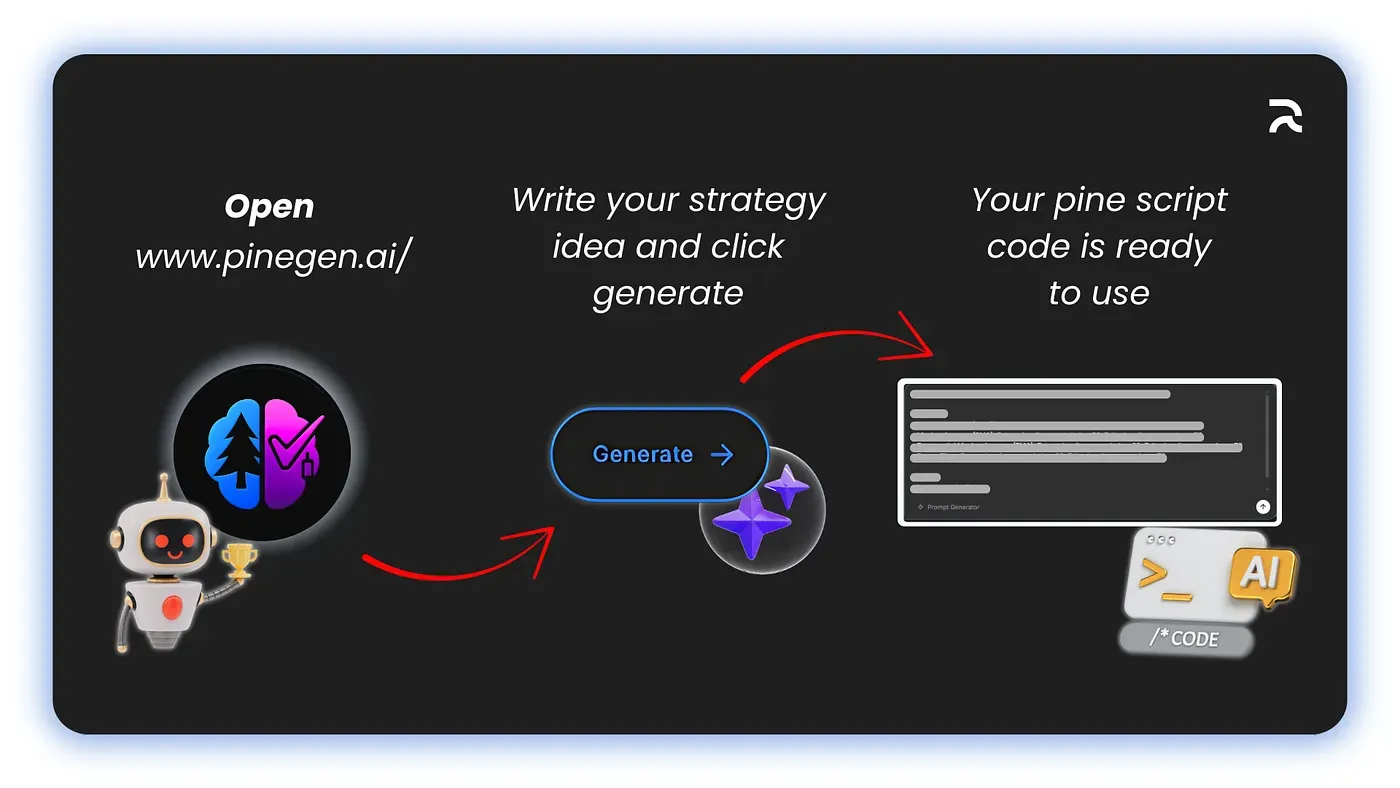
When PineGen AI generates code, it validates that output against TradingView's v6 compiler before showing it to you. This is the defining capability that changes the workflow. Instead of: generate → paste → get errors → go back → ask for fix → paste again, the loop is compressed to: generate → paste → works. This is what separates purpose-built Pine Script AI from general coding tools in practice.
The errors that general AI tools produce aren't random. They're predictable: version syntax mismatches, incorrect parameter types in strategy.exit(), alertcondition() in strategy scripts, ta.crossover() inside conditional blocks. PineGen AI knows these are v6 compiler violations and handles them during generation, not after. The result is code you can build on immediately rather than spending time debugging first.
Pine Script v6 by Default, Every Time
PineGen AI generates Pine Script v6 code by default. Not v5 with a v6 declaration slapped on top. Not a mixture of older syntax that happens to compile under v6 with warnings. v6 from the ground up, with v6 function names, v6 scoping rules, and v6 multi-timeframe handling via request.security() rather than the deprecated security() call.
This matters because traders who use PineGen AI output don't have to think about version compatibility. The code they receive is current, forward-looking, and aligned with TradingView's latest standards. This is a direct consequence of being a Pine Script AI tool purpose-built for the current standard, not retrofitted from a general coding assistant.
Trading Logic, Not Just Syntax
There's a meaningful difference between an AI that knows Pine Script syntax and an AI that understands trading logic. Knowing syntax means understanding that ta.ema(close, 50) takes a series and a length parameter. Understanding trading logic means knowing that an EMA crossover without a trend filter produces excessive false signals in ranging markets, and that combining the crossover with an RSI filter reduces noise without eliminating too many valid setups. What you can build with Pine Script AI depends entirely on which of these two the tool actually has.
PineGen AI is trained on Pine Script strategies and indicators, not on general coding patterns. When you describe a strategy, it understands what you mean as a trader, not just as a programmer. That's what makes the difference between AI-generated and manually coded Pine Script most apparent, one produces correct logic for trading, the other produces correct syntax for a compiler.
Live Chart Preview Before You Copy Anything
PineGen AI includes a built-in TradingView chart preview that shows the generated code's behavior on a real chart before you copy anything out. You can see where the entries and exits would have fired on historical data, check whether the EMA is plotting where you expect, and confirm the strategy logic matches your intent, without leaving the PineGen AI interface.
This catches logical errors that the compiler can't catch: strategies that compile but take entries in the wrong direction, indicators that calculate correctly but display on the wrong scale or overlay, or signals that technically fire on the right conditions but at the wrong time relative to your intended trading window.
Chat Memory for Iterative Strategy Development
PineGen AI maintains chat memory within a session, meaning you can refine a strategy across multiple turns without starting over. This is the workflow that experienced Pine Script users actually need, not single-shot code generation, but the ability to say "change the stop to 2x ATR" or "add a volume filter above the 20-bar average" and have the AI update the existing code correctly rather than regenerating from scratch with a fresh set of assumptions. This iterative automation workflow is what makes AI genuinely useful for serious strategy development.
For a deeper look at how PineGen AI compares to manual Pine Script coding on specific tasks, see What Is the Difference Between Pine Script AI and Manual Coding? and How Do I Create Pine Script With AI?
Conclusion
The answer to what is the best AI for Pine Script is a tool that understands TradingView's execution model, validates output against the v6 compiler, and produces code you can backtest without first spending hours debugging version conflicts and repainting logic. General-purpose AI tools can write Pine Script. They can't guarantee that what they write works correctly inside TradingView's runtime environment. What you can build with a purpose-built Pine Script AI is fundamentally different from what a general coding assistant produces.
Before you run your next AI-generated strategy in the strategy tester, check one thing: does the entry condition include barstate.isconfirmed? If it doesn't, the signals in your backtest may not match what would have appeared in real time. That single check takes ten seconds and tells you whether the tool that generated your code understood Pine Script's execution model or just its syntax. For traders ready to move past that uncertainty, try out at https://www.pinegen.ai/app. For more information, refer to the PineGen AI's user manual. For traders ready to move past that uncertainty, try PineGen AI free and paste your next strategy idea straight into a v6-validated generator.
Start Building TradingView Strategies with PineGen AI Today
Turn trading ideas into validated strategies with AI